Specifying an LED display usually starts with a simple question that turns out to be expensive to get wrong: is this an indoor project or an outdoor one? Buyers who treat the two as the same product and simply shop on price tend to discover the difference six months into service, when an indoor module fades behind a shop window in direct sunlight or an outdoor cabinet fails after its first rainy season. The two environments demand different engineering, and the differences run through brightness, sealing, thermal design, electronics and calibration — not just the enclosure.
This guide walks through the technical points that actually change between indoor and outdoor LED display modules, and it ends with a checklist you can use before you approve a sample or place a production order.
Brightness: The First and Most Obvious Divide
Ambient light is the governing factor. An indoor module in a conference room, retail interior or control room operates against roughly 100 to 500 lux of ambient illumination. An outdoor module facing south at noon can see well over 10,000 lux, plus direct solar loading on the face of the screen.
Typical working ranges:
- Indoor fixed installation: 600 to 1,200 nits
- Indoor high-ambient (atrium, airport, window-facing): 1,500 to 2,500 nits
- Outdoor: 5,000 to 8,000 nits, with 10,000 nits reserved for sites facing direct sun
Pushing brightness higher is not automatically better. Every additional nit draws current, generates heat and shortens LED lifetime. An outdoor module running at 10,000 nits in a shaded location will simply age faster and cost more to operate than a 6,000-nit unit would. The practical approach is to specify brightness for the worst-case hour of the worst-case day at the actual site, then rely on an automatic brightness sensor to dim the screen at night — which is also a requirement in many markets for light-pollution and driver-safety reasons.
Pixel Pitch and Viewing Distance
Pixel pitch is the center-to-center distance between LED clusters, and it sets both the minimum viewing distance and the cost. The widely used rule of thumb is that the minimum comfortable viewing distance in meters equals the pixel pitch in millimeters. A P4 module is therefore suited to viewers standing four meters away or farther.
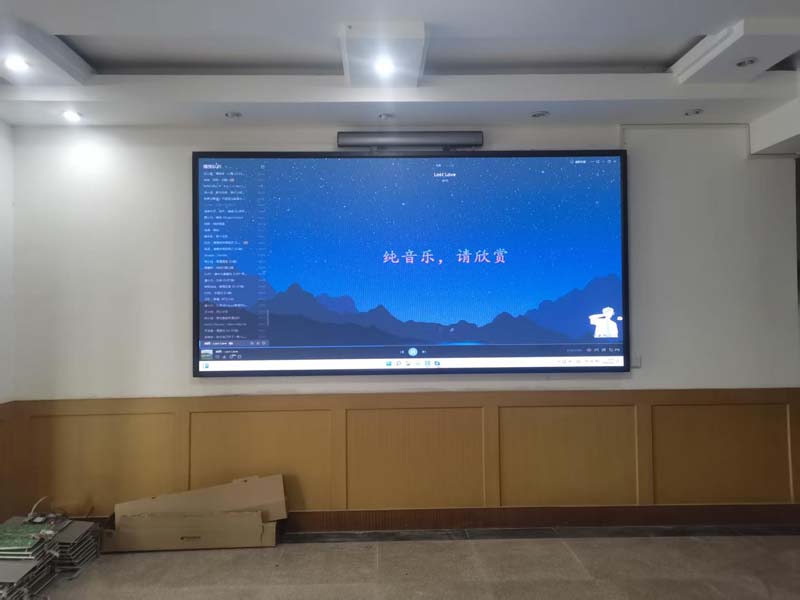
Because outdoor screens are viewed from across a street, a plaza or a highway, outdoor modules commonly sit between P4 and P10, with P6 and P8 dominating roadside advertising. Indoor applications put the viewer much closer, so indoor modules cluster between P0.9 and P4, with P1.5 to P2.5 covering most corporate, retail and broadcast work.
The trap here is over-specifying. Buying a finer pitch than the application needs multiplies cost, raises power density and increases heat — for a resolution improvement no viewer will ever perceive from the actual viewing distance.
Sealing, IP Rating and Environmental Protection
This is where outdoor modules earn their price premium. Rain, wind-driven moisture, dust, salt air and temperature cycling all attack the module from the front and, in many cabinet designs, from the rear as well.
- Outdoor modules: front face IP65 or higher; rear and cabinet IP54 or better for most fixed installations, IP65 for fully exposed or coastal sites
- Indoor modules: typically IP31 to IP40 — protection against solid objects and light moisture, not against rain
Sealing is only as good as the weakest point in the assembly: gaskets, cable entry glands, connector interfaces and the bonding around driver boards. When evaluating samples, look at how the module meets the cabinet frame and whether the rear is conformal-coated. For humid or coastal environments, conformal coating on the PCB is often the difference between a five-year life and a two-year one.
Thermal Design and Power Consumption
Outdoor modules dissipate far more heat because they run brighter and absorb solar radiation. Cabinets are usually fan-cooled with a front-to-back or bottom-to-top airflow path, and the design must prevent water ingress while still moving air. Indoor modules often rely on passive convection, which keeps them quiet — a genuine requirement in studios, boardrooms and retail interiors where fan noise is unacceptable.
As a general planning figure, outdoor modules draw a maximum of roughly 500 to 900 W per square meter at full white, while indoor fine-pitch modules sit lower per square meter but higher per unit area of resolution. Average consumption in normal content is typically 30 to 40 percent of the maximum. Size the electrical service, UPS and breaker panel from the maximum figure, not the average.
Electronics: Refresh Rate, Grayscale and Driver ICs
These parameters matter for both environments, but their priorities shift.
Refresh rate determines whether the screen looks clean on camera. For any installation likely to appear on broadcast, livestream or phone video — studio backdrops, rental stages, corporate events — target 1,920 Hz minimum and 3,840 Hz or higher for high-end work. Static outdoor billboards rarely face cameras, so a lower refresh rate is acceptable there and reduces cost.
Grayscale depth, usually 14 to 16 bits, controls how smoothly the screen renders shadows and gradients. Low grayscale produces visible banding in dark scenes, particularly on large outdoor panels viewed at night.
Driver ICs and scan mode sit underneath all of this. Higher scan counts (1/16, 1/32) raise effective refresh and reduce flicker but demand faster drivers and tighter thermal management. Common-cathode driver designs, which HITULED uses across several outdoor series, cut power consumption and heat compared with conventional common-anode architectures by driving the red, green and blue channels more efficiently. Ask any supplier which driver IC and scan mode they specify, and ask for the refresh rate measured on the finished cabinet rather than the theoretical value on the datasheet.
Calibration and Long-Term Uniformity
A display is only as good as its least consistent module. Brightness and chromaticity drift between modules and between batches, so large screens need calibration — at the factory for white balance and gamma, and ideally on site after installation with a colorimeter and a camera-based system. For rental fleets, where modules are mixed and matched between events, per-module calibration data stored on an onboard memory chip lets crews swap tiles without visible seams. Indoor fine-pitch applications are the most demanding, since the viewer is close and any mottling is obvious.
Selection Checklist
- Define viewing distance first; derive pixel pitch from it, not from the catalog.
- Measure ambient light at the site at the brightest hour of the day; specify brightness from that number.
- Confirm IP rating for both the front and the rear of the cabinet, plus conformal coating if the site is humid or coastal.
- Check maximum power per square meter and size the electrical infrastructure from it.
- Match refresh rate to whether cameras will ever point at the screen.
- Confirm grayscale depth and ask for a dark-scene banding test on the actual modules.
- Ask for driver IC model and scan mode, and for a measured refresh figure on the finished cabinet.
- Verify factory calibration and, for large or critical screens, budget for on-site calibration.
- Confirm spare part availability and module interchangeability across future production batches.
The indoor-versus-outdoor decision is really a decision about the environment the module must survive and the viewing conditions it must satisfy. Get brightness, pitch, sealing and thermal design right, and the rest of the specification tends to fall into place; get them wrong and no amount of post-purchase adjustment will compensate.
If you are working through a specific project — an outdoor advertising structure, a retail window, a rental stage or a fine-pitch indoor wall — HITULED can review your site conditions and recommend a module configuration with sample modules for evaluation before you commit to production volumes.